Plan the work and keep your dates.
One clear timeline for your jobs, your people, and your deadlines — simple enough to run from the job site.

A scheduling tool with everything you need
Three things that keep planning fast and visual — a Gantt chart simple enough to start right away.
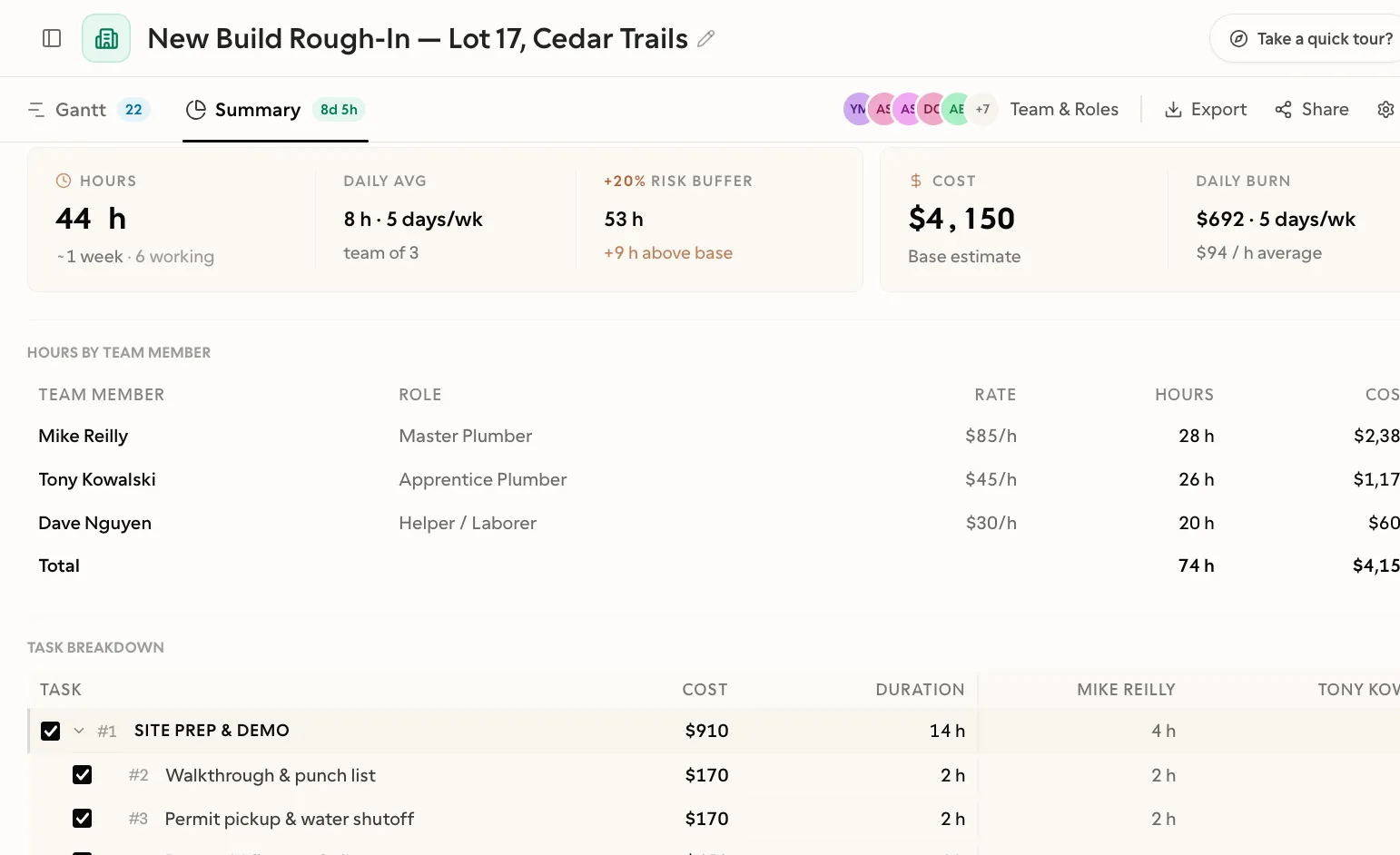
Know your costs before you commit
Set hourly rates per role, add a risk buffer, and watch the budget update as you plan. See where the money goes before the job even starts.
Read more→
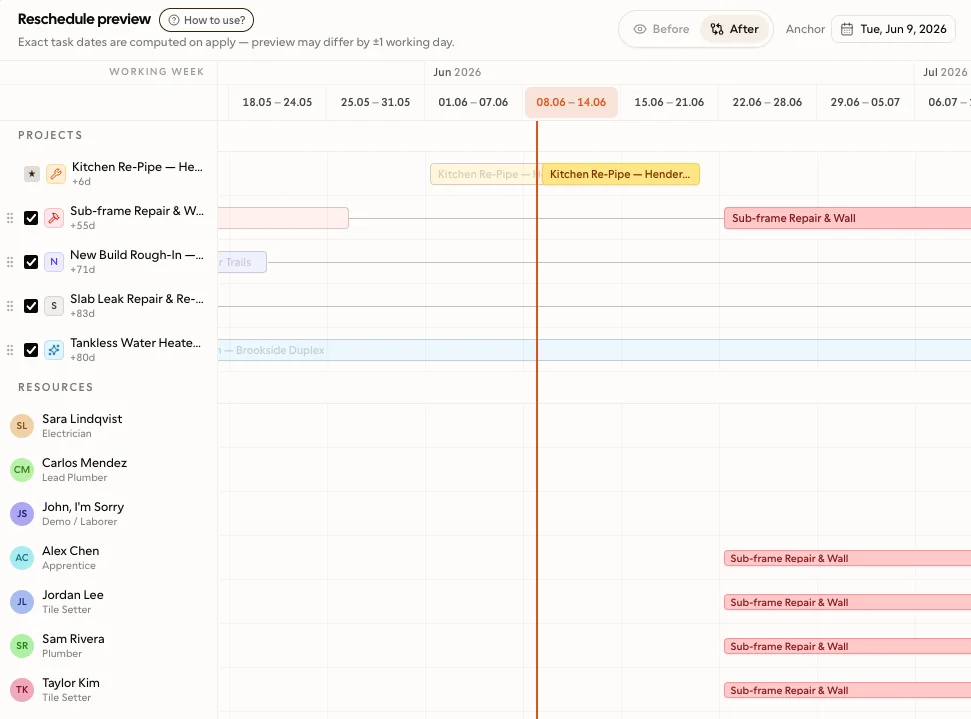
Reshuffle every job in one pass
Line up every job on the same calendar by who's free and how long each one runs. Drag to reorder, preview the new dates, and apply when it's right — no spreadsheets, no double-booked crews.
Read more→
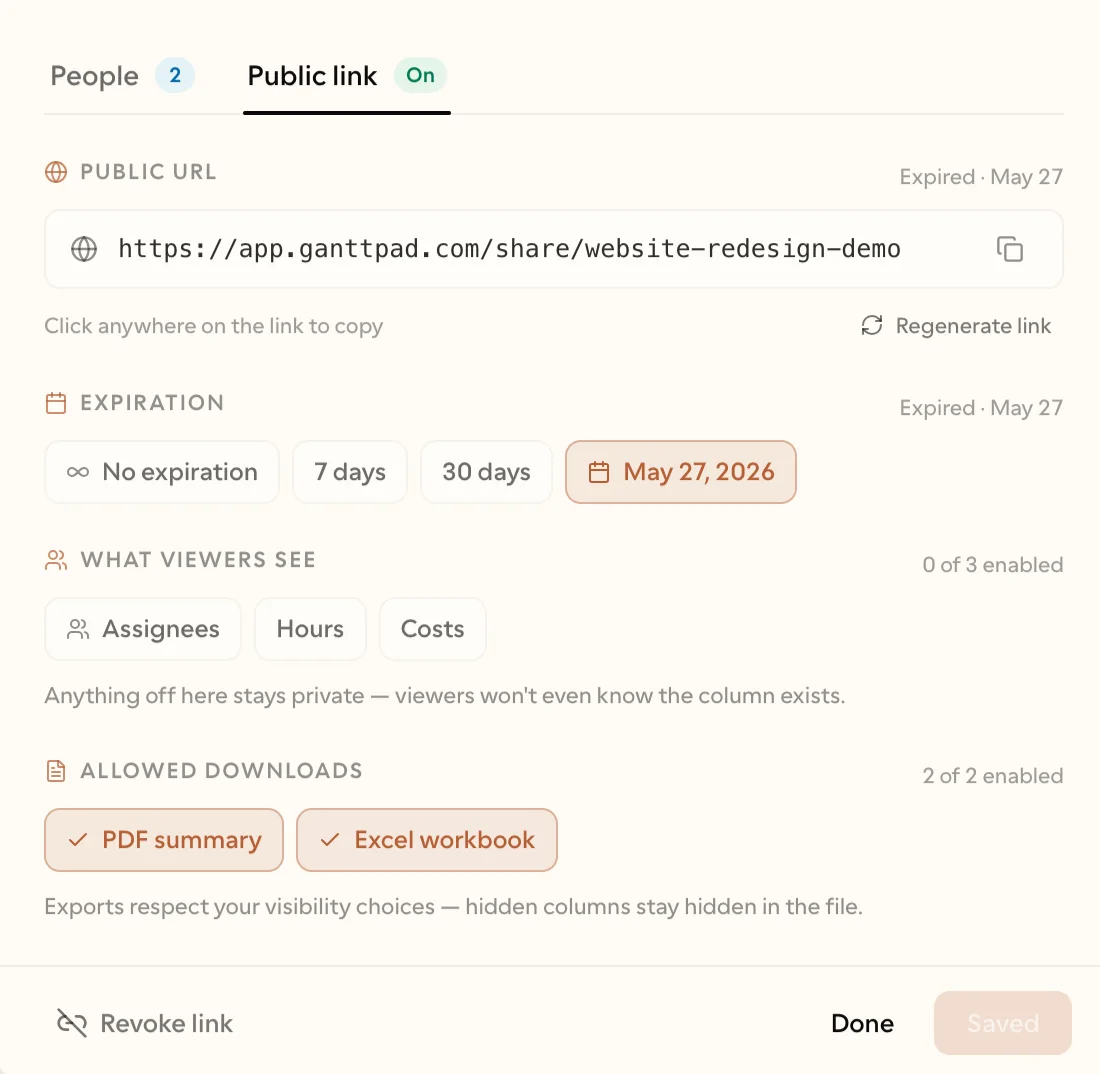
Share the schedule, or share the work
Send the client a read-only link — they see the live plan and can't touch it. Or invite your office and your crew to work on it with you. Viewers are free, however many you add.
Read more→
Pricing
Forever — no time limit
- Up to 2 projects
- 40 tasks per project
- Visual timeline with linked tasks
- Drag & drop scheduling
- Hourly rates & cost summary
- PDF, Excel & Google Drive export
- Join any project you're invited to
No credit card required
$83.88/year, billed yearly
- Unlimited projects
- Unlimited tasks per project
- Public share links — anyone can view & export
- Schedule multiple projects on one calendar
- Plus everything in Free
Cancel anytime
$167.88/year, billed yearly
- 3 seats included — you plus 2 editors
- Unlimited free viewers — clients, subs, inspectors
- Everyone works the same schedule, live
- Extra editor $5.99/mo, added when you need one
- Plus everything in Pro
Only editors use a seat
One person is one seat, however many projects you invite them to. Only editors use a seat — viewers are always free. Add an editor and we show you the exact prorated charge before anything is billed.
Common questions
What you actually need to know before you open it on a real job.
Yes. The Free plan covers 2 projects with up to 40 jobs each, the full visual timeline, dependency lines, and exports to PDF, Excel and Google Drive. No credit card, no trial timer, no nag screens.
From the blog
Plain-English guides to planning the work.
Keeping the Customer and the Crew on the Same Schedule
Gantt Chart for Construction: Schedule Real Jobs Without Enterprise Software
Gantt Chart vs Scrum: Which Approach Fits Your Project?
How to Price a Job So You Don't Lose Money on It
Ready when you are. Try it on your next job.
Free to start — most people never need more.
No credit card required